> For the complete documentation index, see [llms.txt](https://bizapp.gitbook.io/tutorial/llms.txt). Markdown versions of documentation pages are available by appending `.md` to page URLs; this page is available as [Markdown](https://bizapp.gitbook.io/tutorial/selamat-datang-hq-founder/modul-kurier/status-and-notifikasi-penghantaran/whatsapp-status-penghantaran.md).
# WhatsApp Status Penghantaran
Penghantaran notifikasi status bungkusan kepada pelanggan boleh dihantar menggunakan WhatsApp Wsapme (dengan integrasi aktif, sekiranya anda ingin mengaktifkan integrasi Wsapme klik [sini](broken://pages/MSexDqG18Mbj3fu1m8vv)) bagi empat (4) keadaan seperti berikut mengikut status yang sama di kurier masing-masing:
* On Vehicle for Delivery
* Attempt Delivery Fail
* Successful Delivery
* Return to Sender
Untuk menetapkan penghantaran notifikasi status penghantaran kepada pelanggan menggunakan WhatsApp, ikuti langkah-langkah berikut:
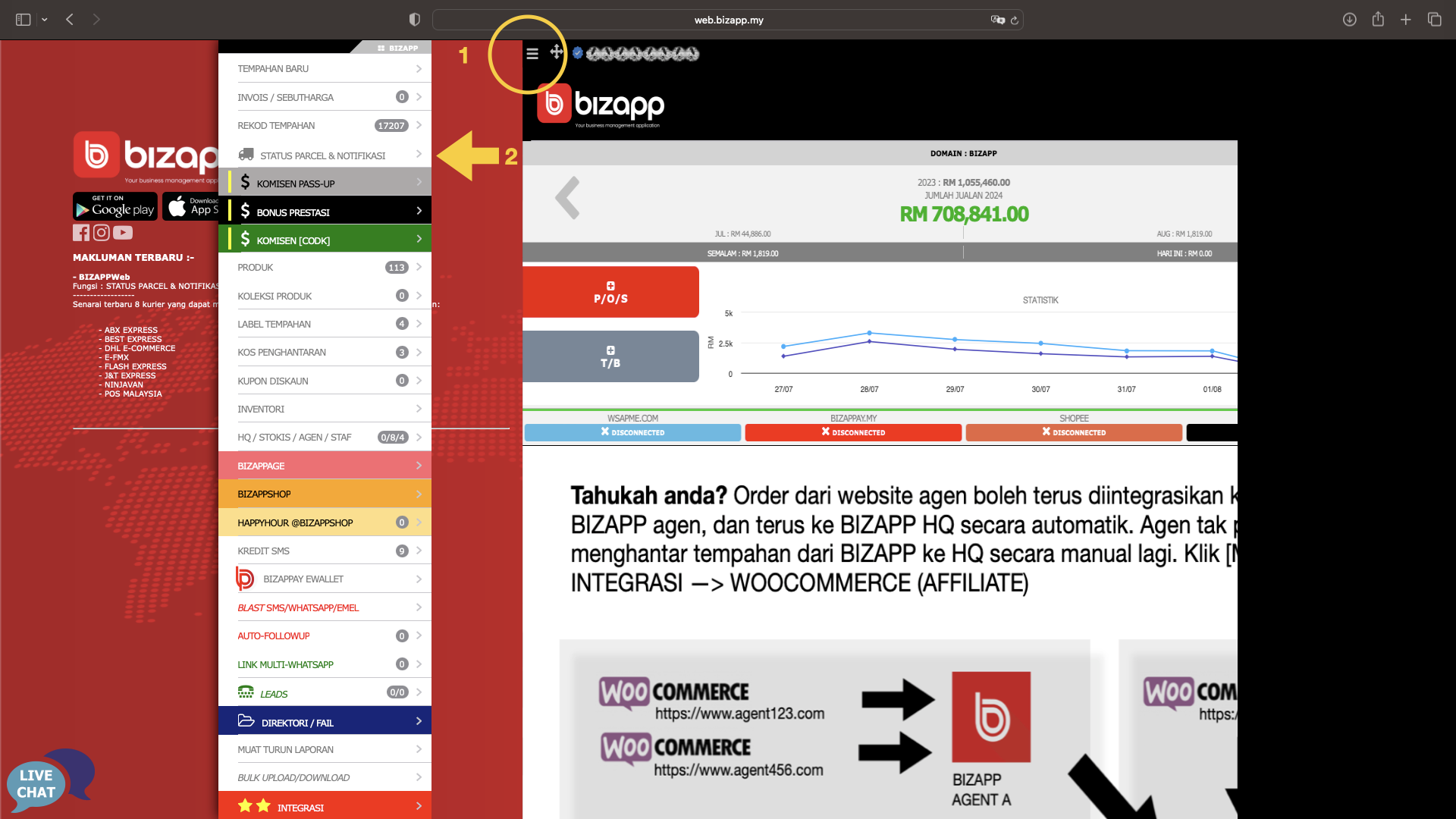
1. Tekan butang Menu
2. Tekan Menu Status Parcel & Notifikasi
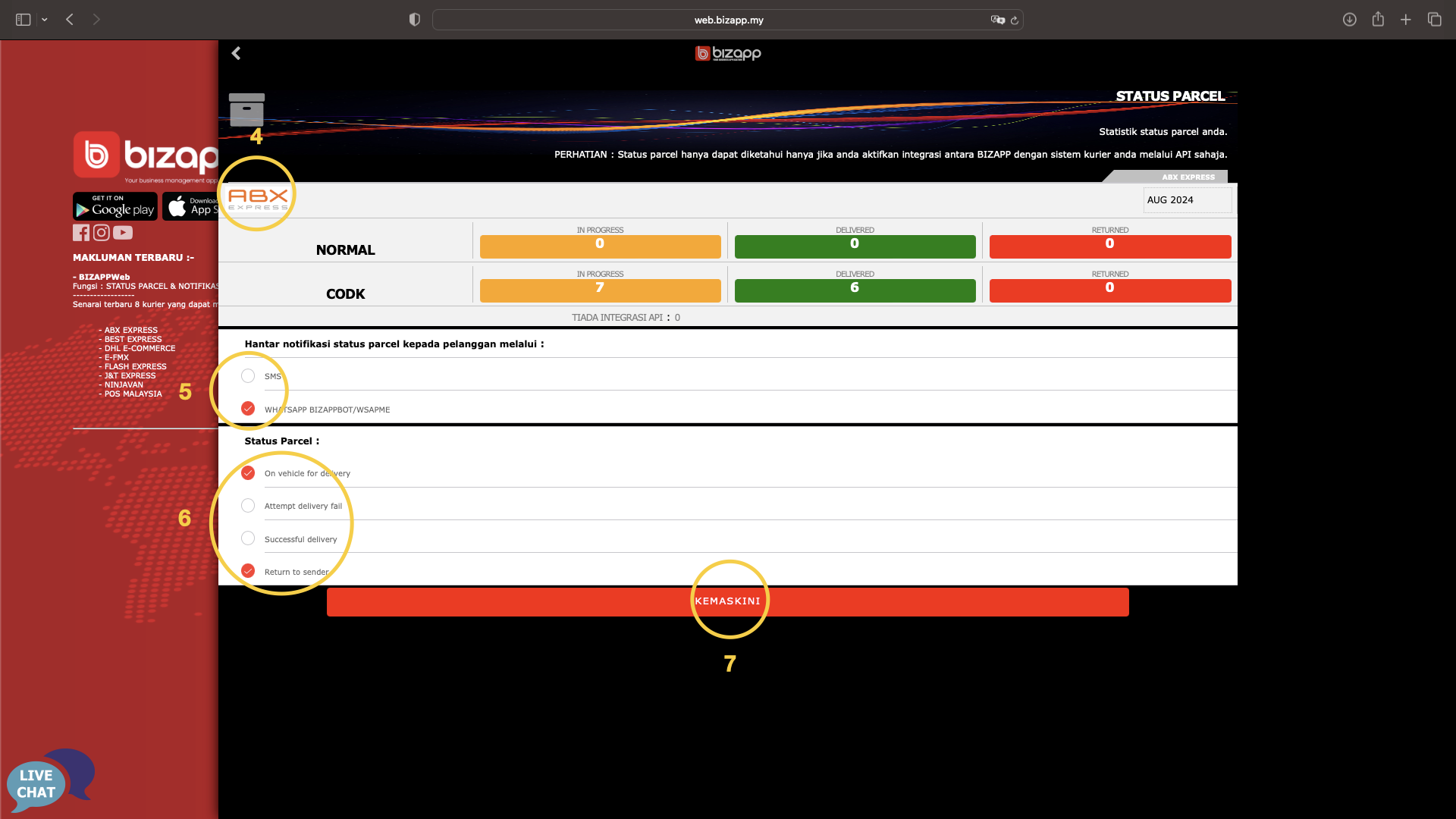
3. Pilih Kurier yang berkenaan
4. Pastikan kurier yang anda pilih adalah tepat
5. Tanda WHATSAPP pada kaedah penghantaran notifikasi status
6. Pilih status yang berkenaan
7. Tekan butang Kemaskini
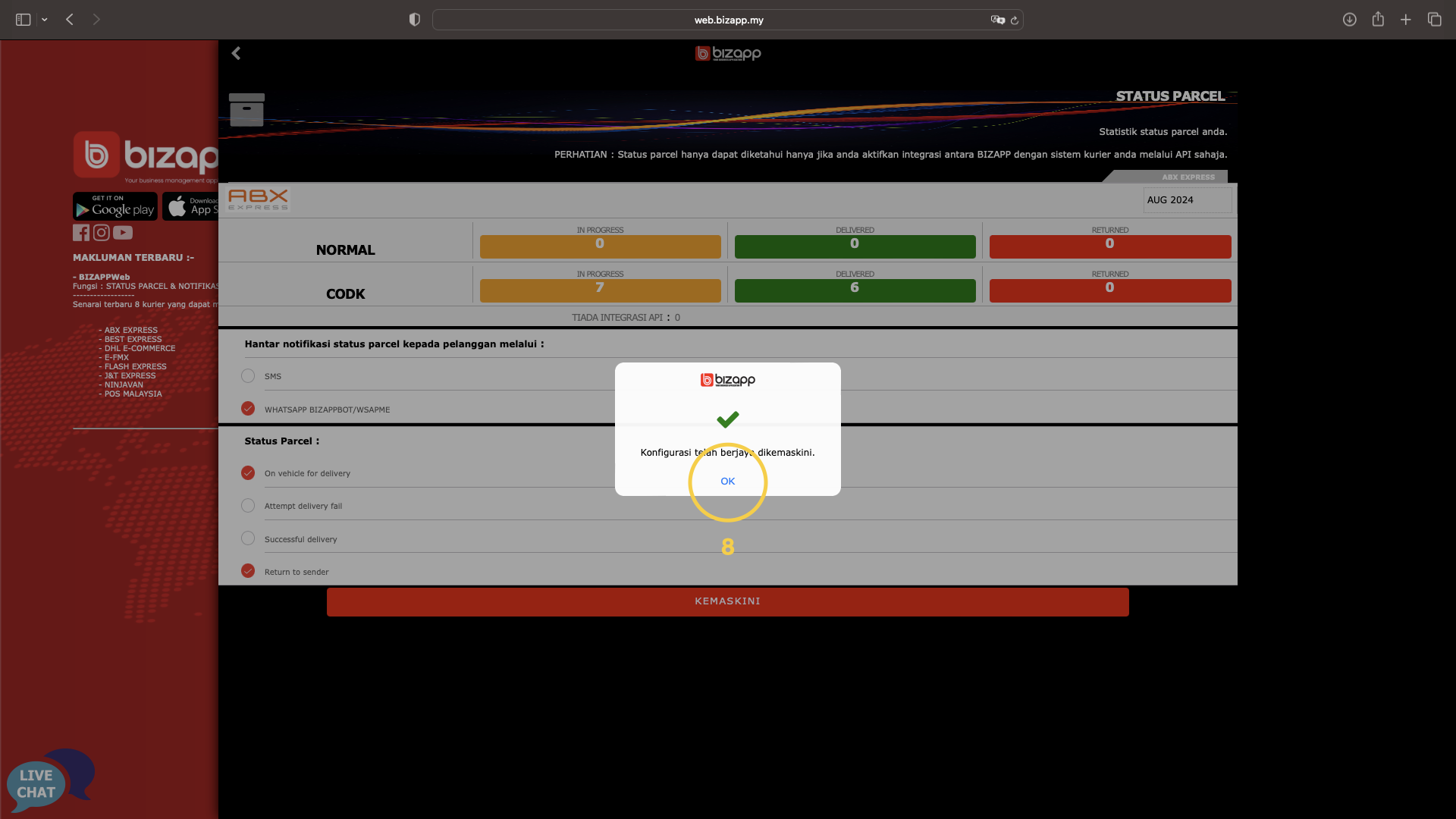
8. Tekan butang OK