# Push 1 Order ke Best Express

Hantar satu tempahan kepada Best Express dengan ikuti langkah-langkah berikut:

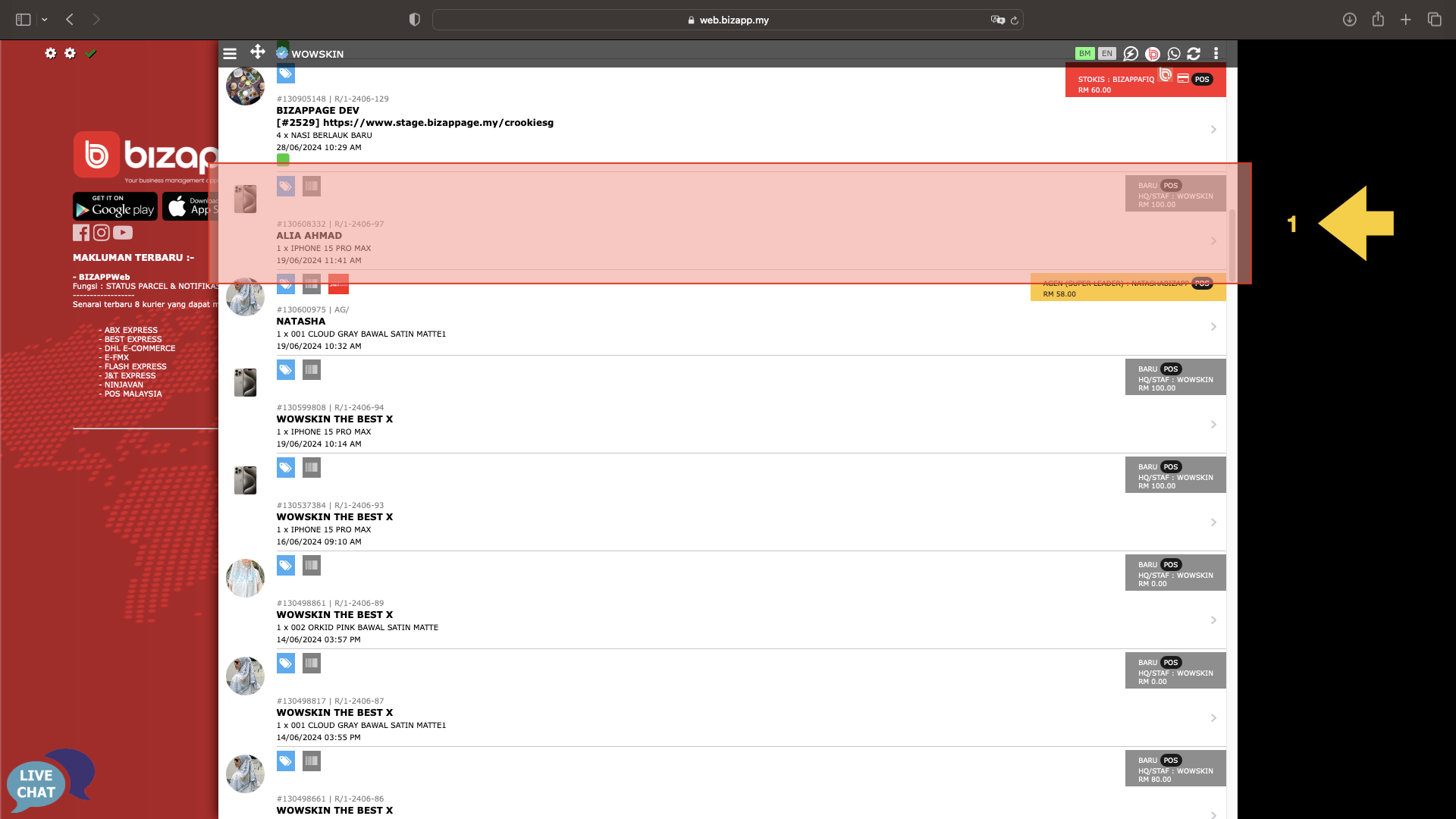
<div><figure><img src="/files/y1LDM2WjEcaxxyRMpi4H" alt=""><figcaption></figcaption></figure> <figure><img src="/files/koYq6rjLfgAzWDnfvqnC" alt=""><figcaption></figcaption></figure></div>

1. Tekan tempahan yang ingin diproses.
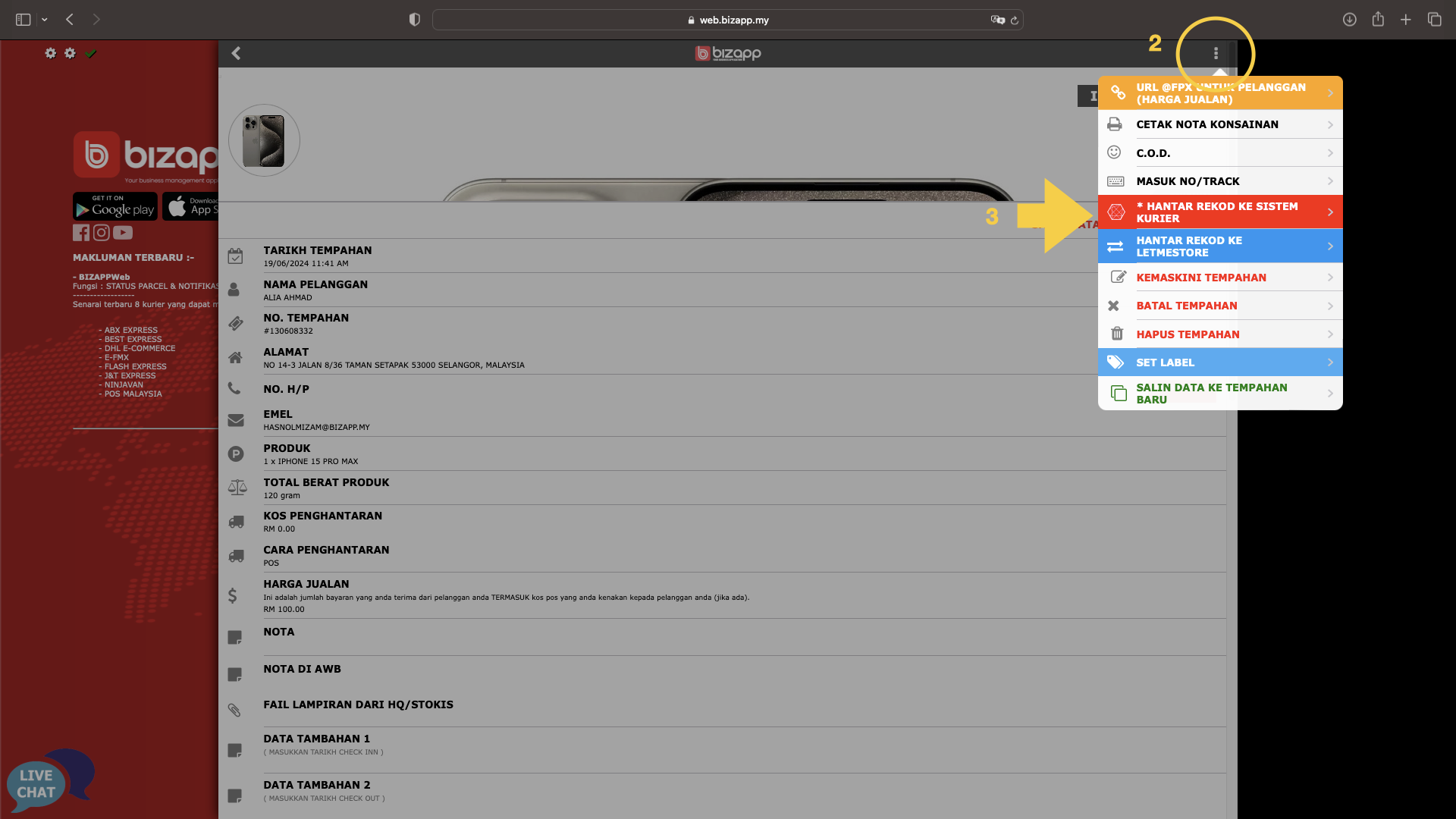
2. Tekan butang tiga kiri sub-menu
3. Pilih menu Hantar Rekod ke Sistem Kurier

<div><figure><img src="/files/s8gGlbOv7CXcsSdApWJ2" alt=""><figcaption></figcaption></figure> <figure><img src="/files/iHifV68wQPU9jYO1ZFq4" alt=""><figcaption></figcaption></figure></div>

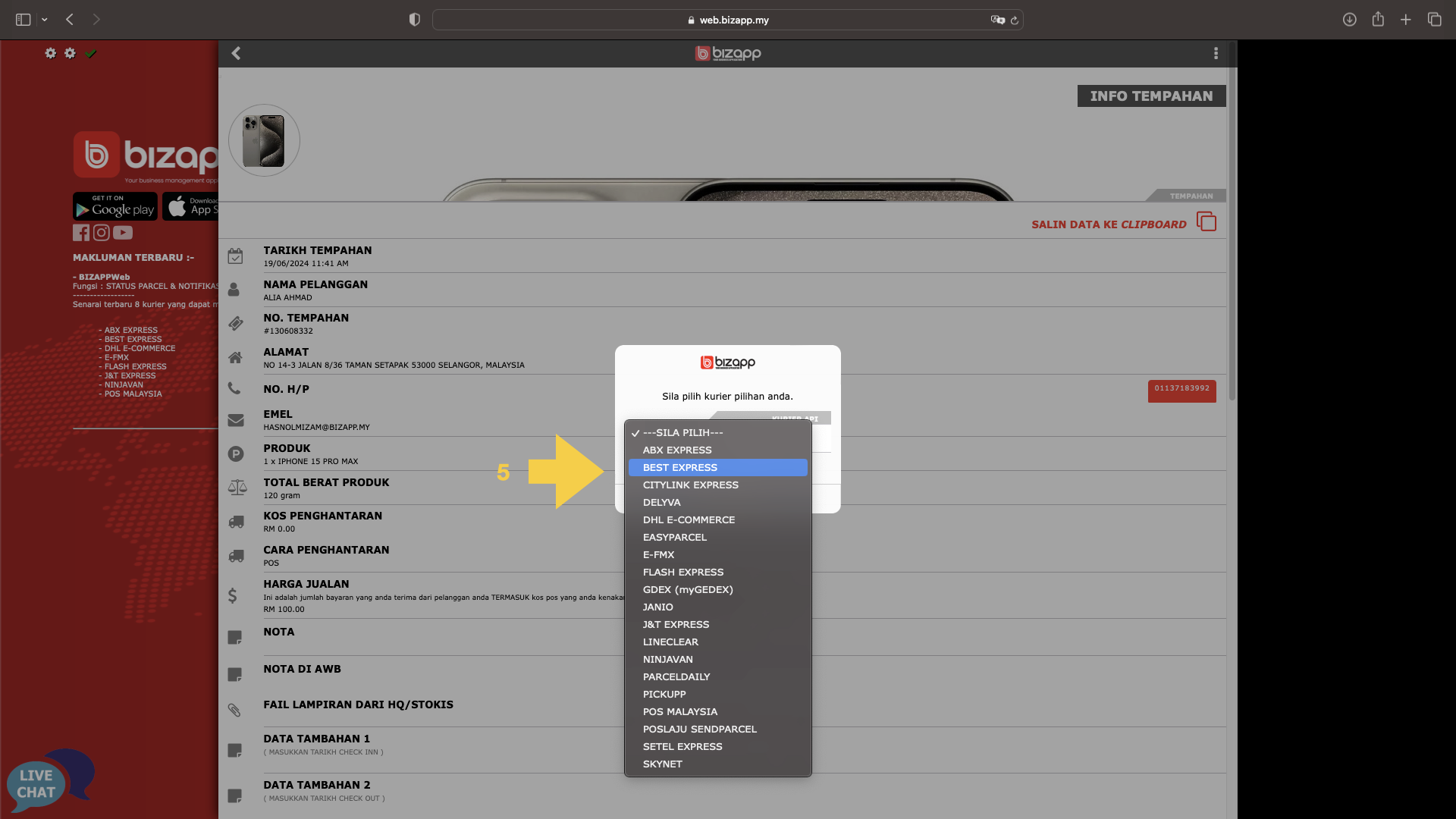
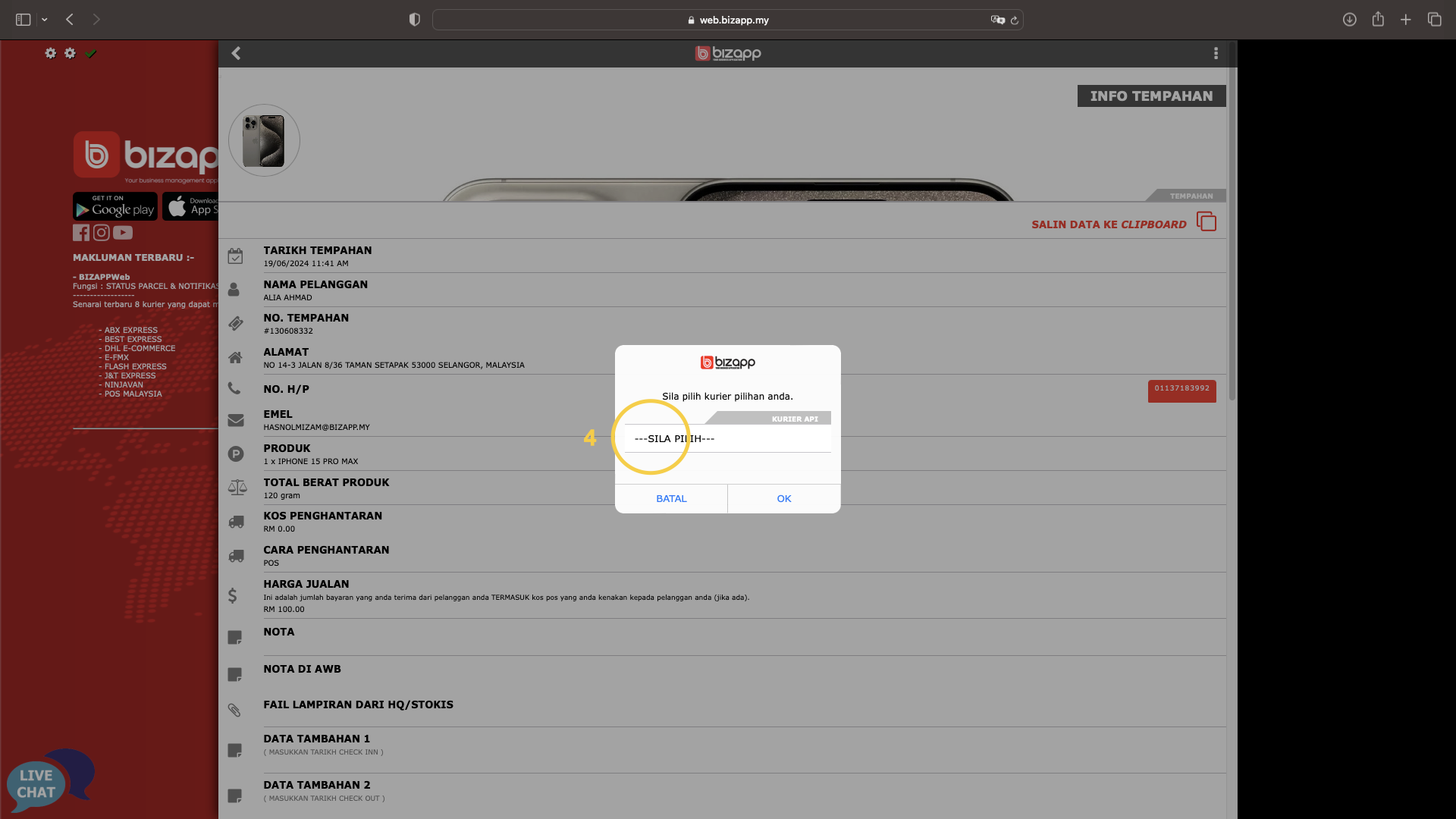
4. Tekan pilihan kurier
5. Pilih Best Express

<div><figure><img src="/files/XgsKek4pu6PVYrghGRBY" alt=""><figcaption></figcaption></figure> <figure><img src="/files/d0g5uUb3qOQiSUrOAtNX" alt=""><figcaption></figcaption></figure></div>

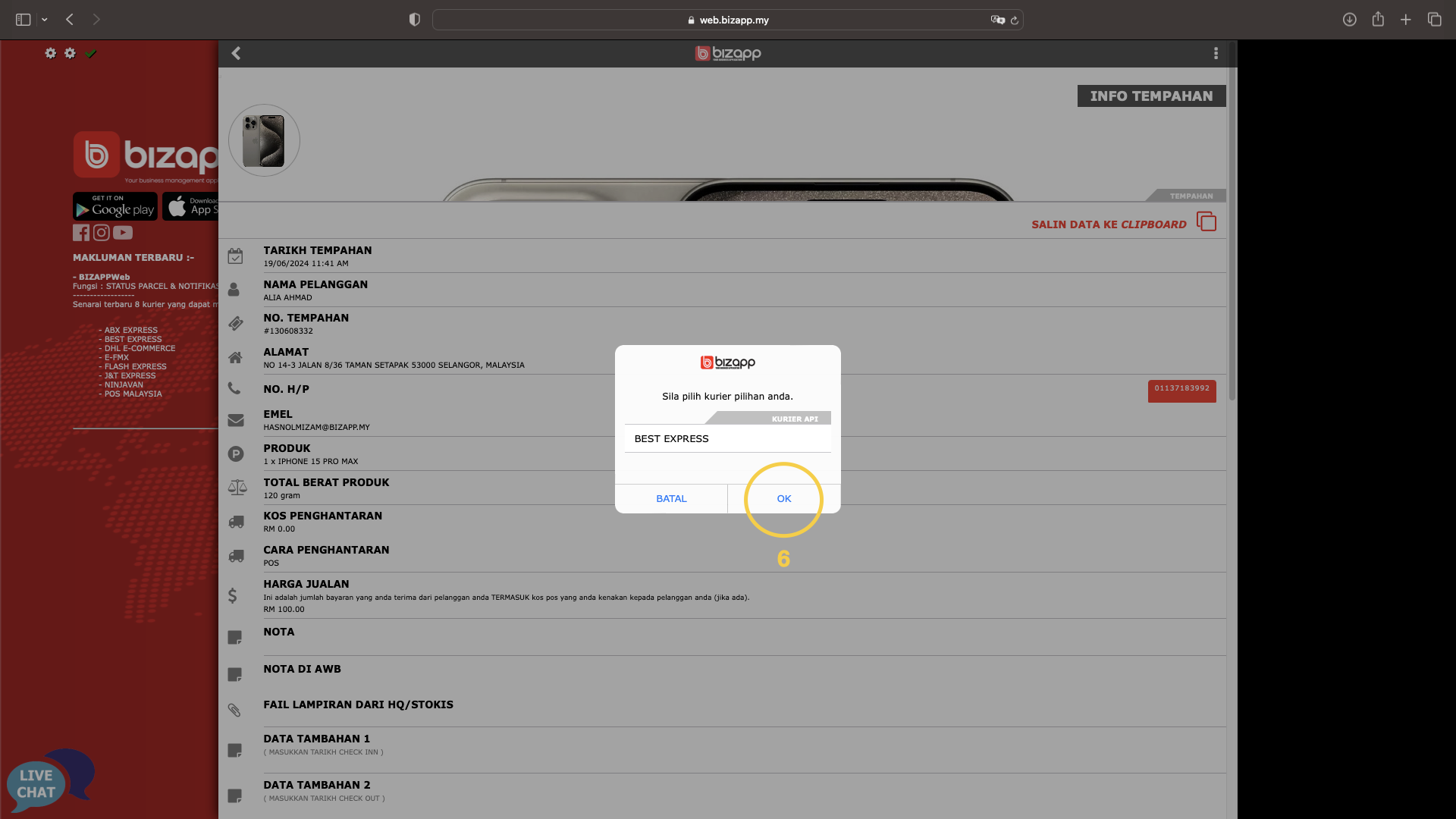
6. Tekan butang OK
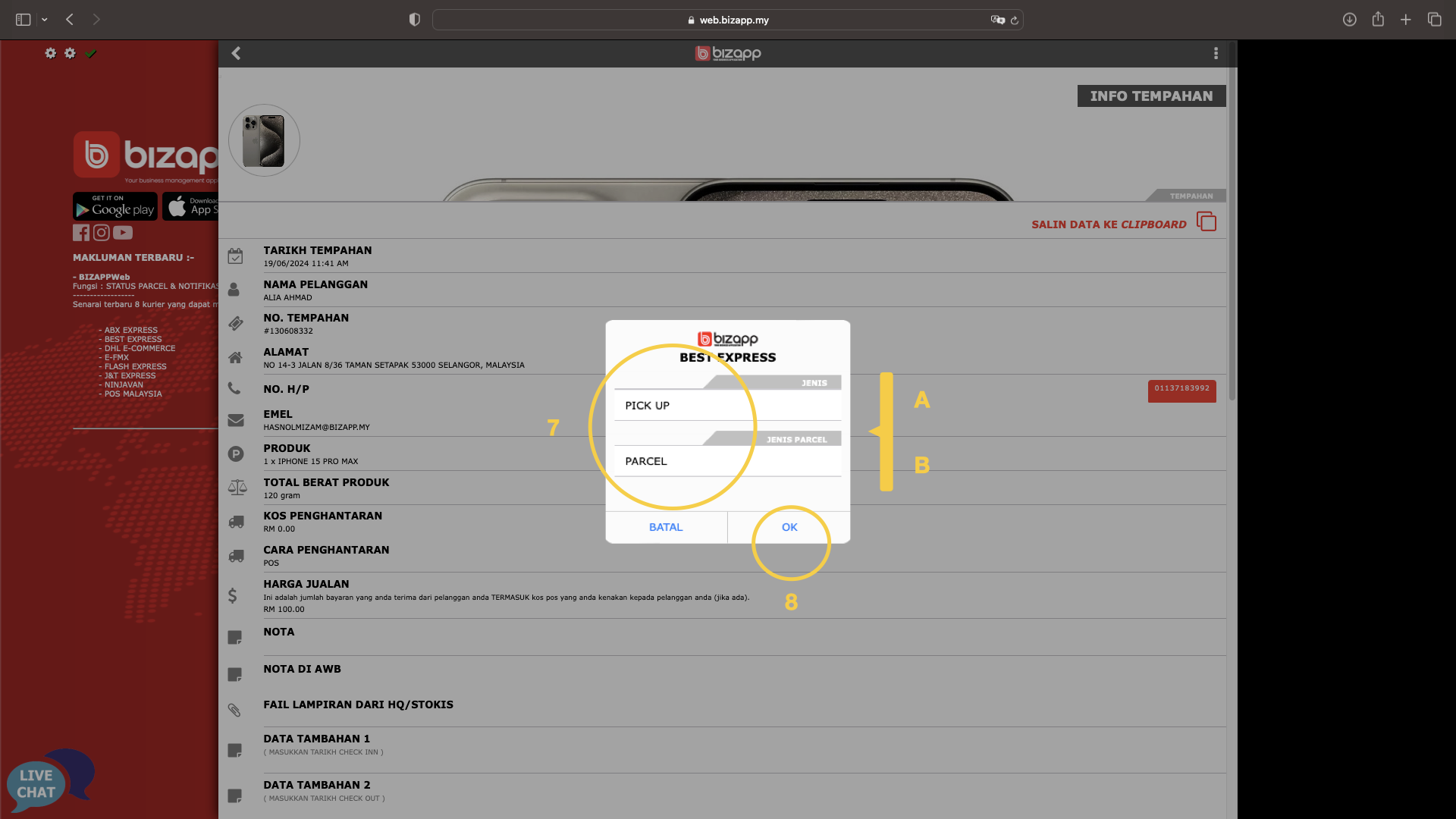
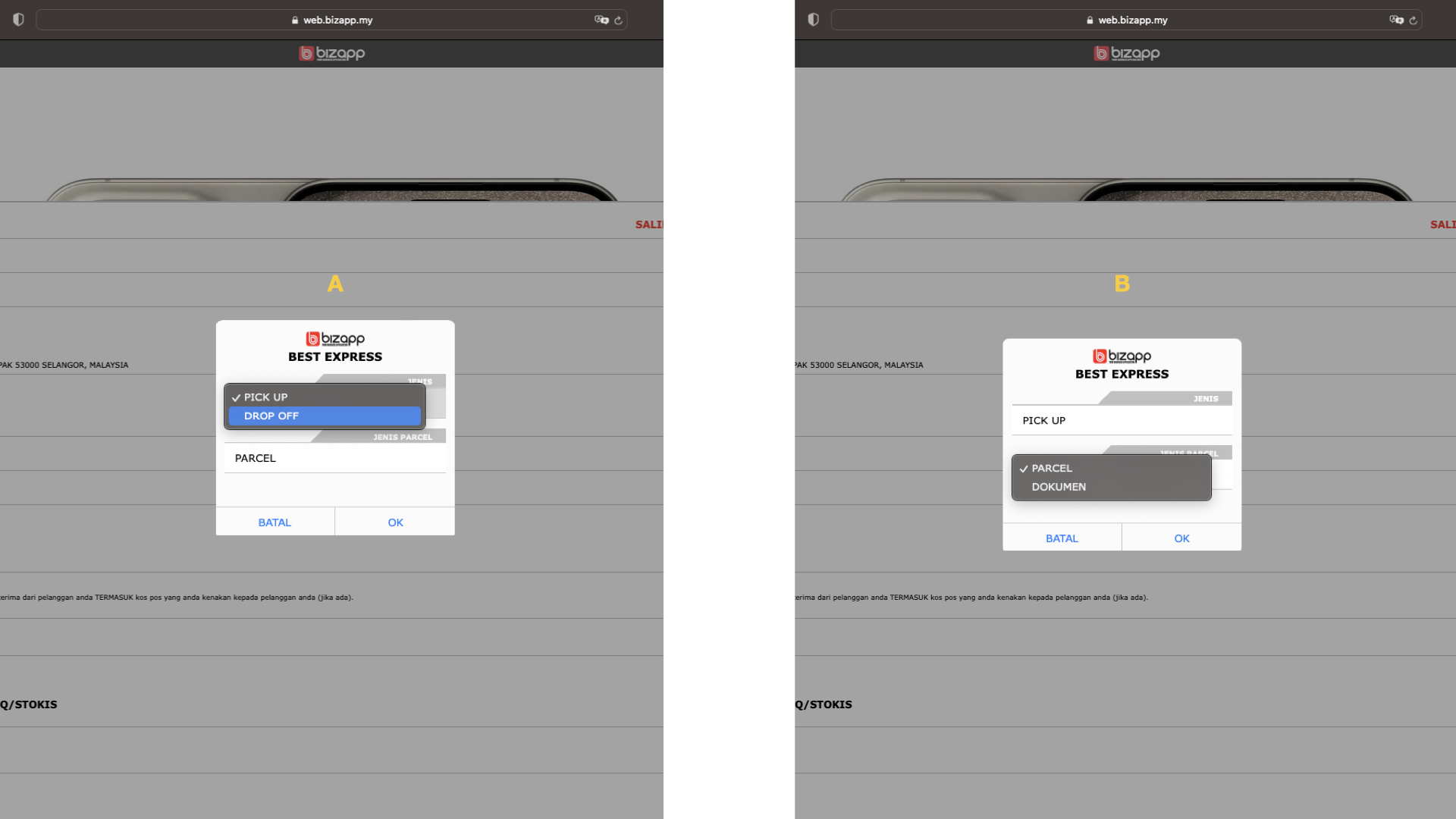
7. Pilih kriteria yang bersesuaian
8. Tekan butang OK

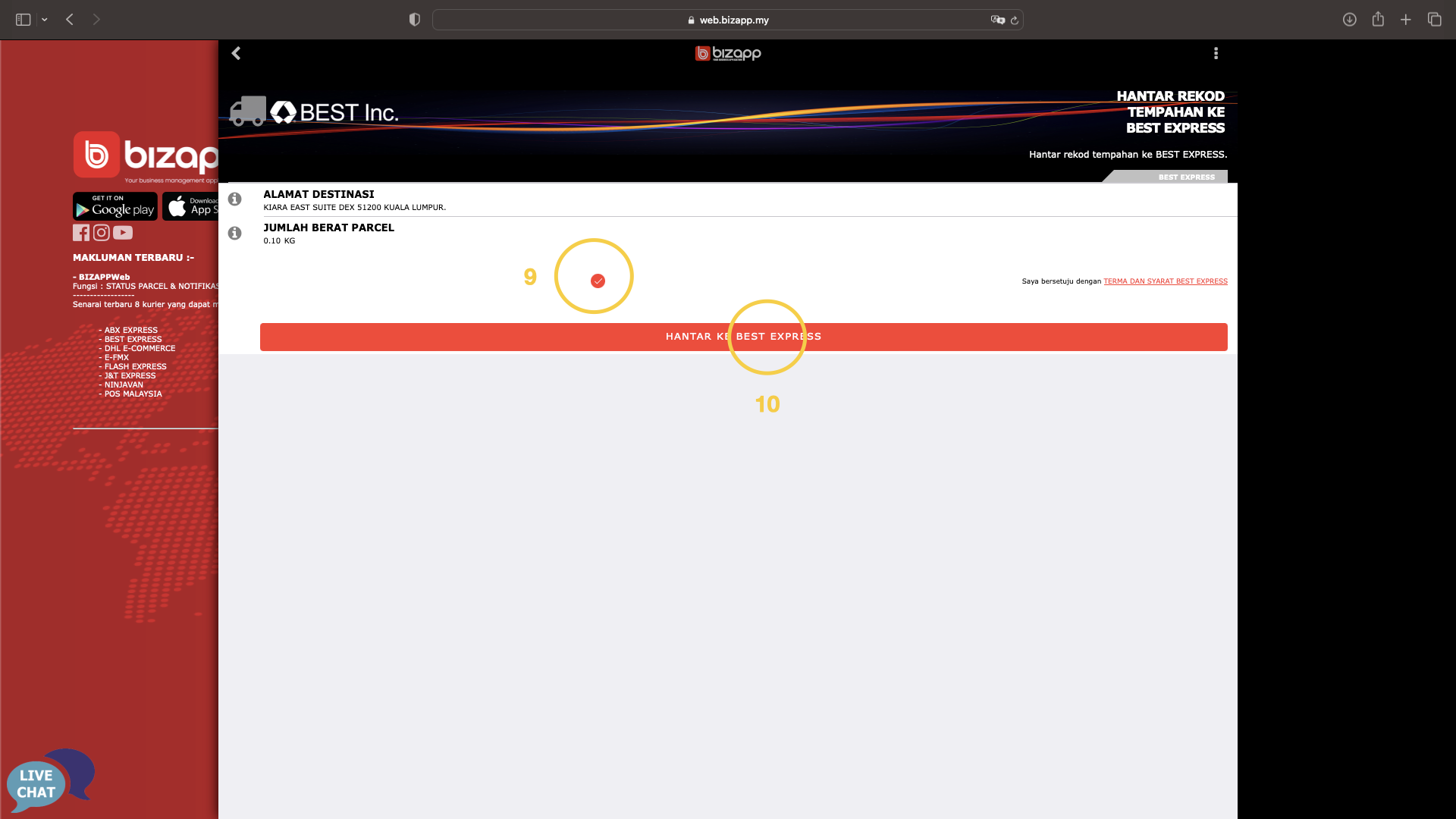
<div><figure><img src="/files/T7vgcjrVj01IG0rSmtd3" alt=""><figcaption></figcaption></figure> <figure><img src="/files/bxYoJm6QrXINIDcCeC6t" alt=""><figcaption></figcaption></figure></div>

A - Jenis penghantaran\
B - Jenis bungkusan&#x20;

9. Tanda tick sebagai persetujuan pada terma dan syarat
10. Tekan butang Hantar ke Best Express

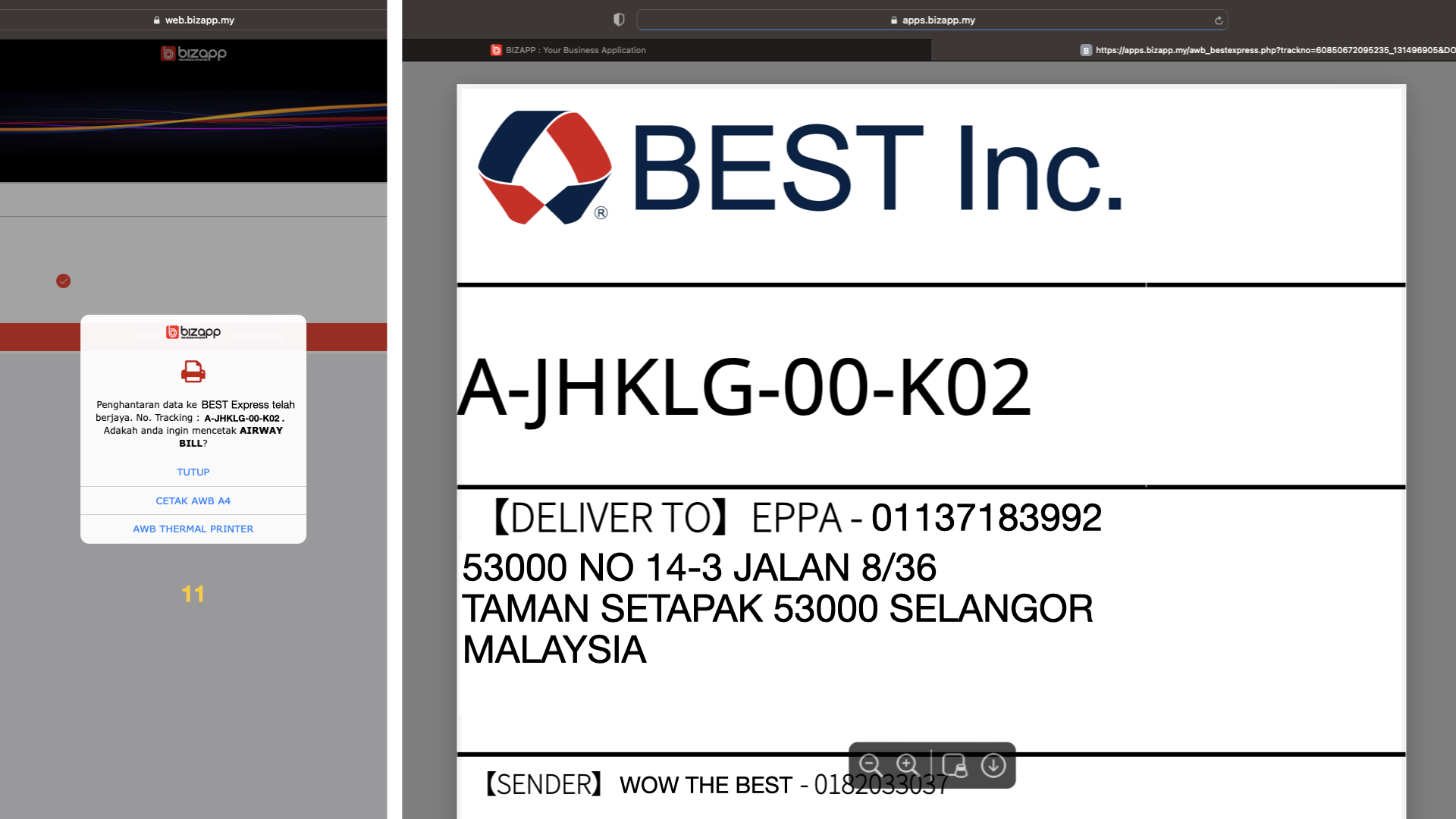
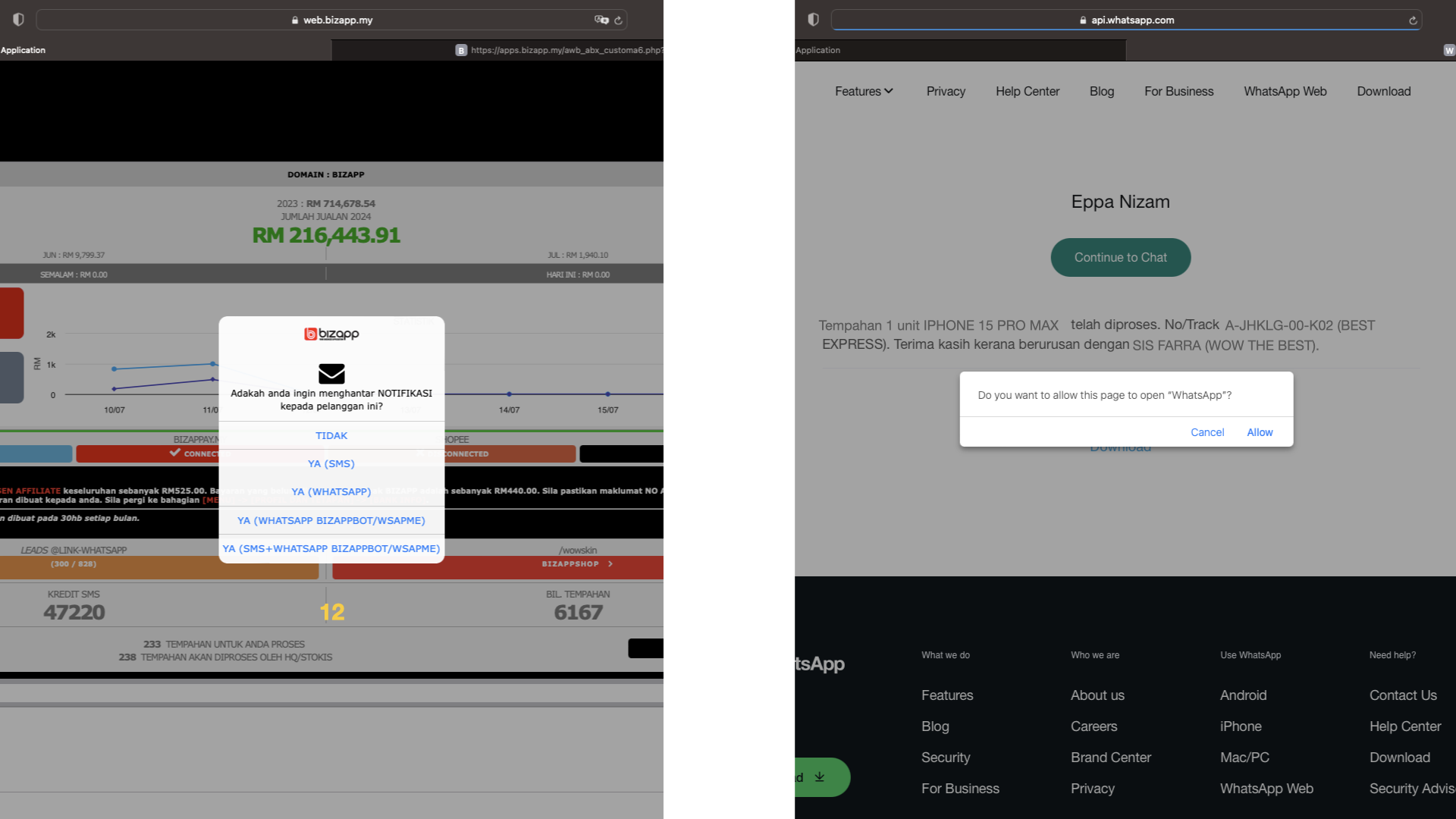
<div><figure><img src="/files/EHZ3YWr8fIlsFGyCUgEY" alt=""><figcaption></figcaption></figure> <figure><img src="/files/zaJSEuFJqzcWzZkuqOMq" alt=""><figcaption></figcaption></figure></div>

11. Pilih untuk mencetak Airway Bil
12. Pilih untuk menghantar notifikasi no. tracking bungkusan kepada pelanggan
---

# Agent Instructions: Querying This Documentation

If you need additional information that is not directly available in this page, you can query the documentation dynamically by asking a question.

Perform an HTTP GET request on the current page URL with the `ask` query parameter:

```
GET https://bizapp.gitbook.io/tutorial/selamat-datang-hq-founder/modul-kurier/push-order-ke-kurier/push-order-1-per-1/push-1-order-ke-best-express.md?ask=<question>
```

The question should be specific, self-contained, and written in natural language.
The response will contain a direct answer to the question and relevant excerpts and sources from the documentation.

Use this mechanism when the answer is not explicitly present in the current page, you need clarification or additional context, or you want to retrieve related documentation sections.