> For the complete documentation index, see [llms.txt](https://bizapp.gitbook.io/tutorial/llms.txt). Markdown versions of documentation pages are available by appending `.md` to page URLs; this page is available as [Markdown](https://bizapp.gitbook.io/tutorial/selamat-datang-hq-founder/modul-chanel-jualan/chanel-jualan-bizapp/codk-cod-oleh-kurier/status-parcel-codk/rekod-codk-berjaya.md).

# Rekod CODK Berjaya

Anda boleh lihat senarai parcel CODK yang telah berjaya, duit harga jualan COD telah diterima pihak kurier. Untuk melihat senarai parcel CODK DELIVERED, ikuti langkah-langkah berikut:

<figure><img src="https://741636016-files.gitbook.io/~/files/v0/b/gitbook-x-prod.appspot.com/o/spaces%2FDDhNdk6F3s0N9Gq7wytI%2Fuploads%2FY4JTk5ydgyQw6lThlaxz%2FCODK%20-%20Status.001.png?alt=media&amp;token=c203ab26-b83f-4ff9-80a8-ce494fde43bc" alt=""><figcaption></figcaption></figure>

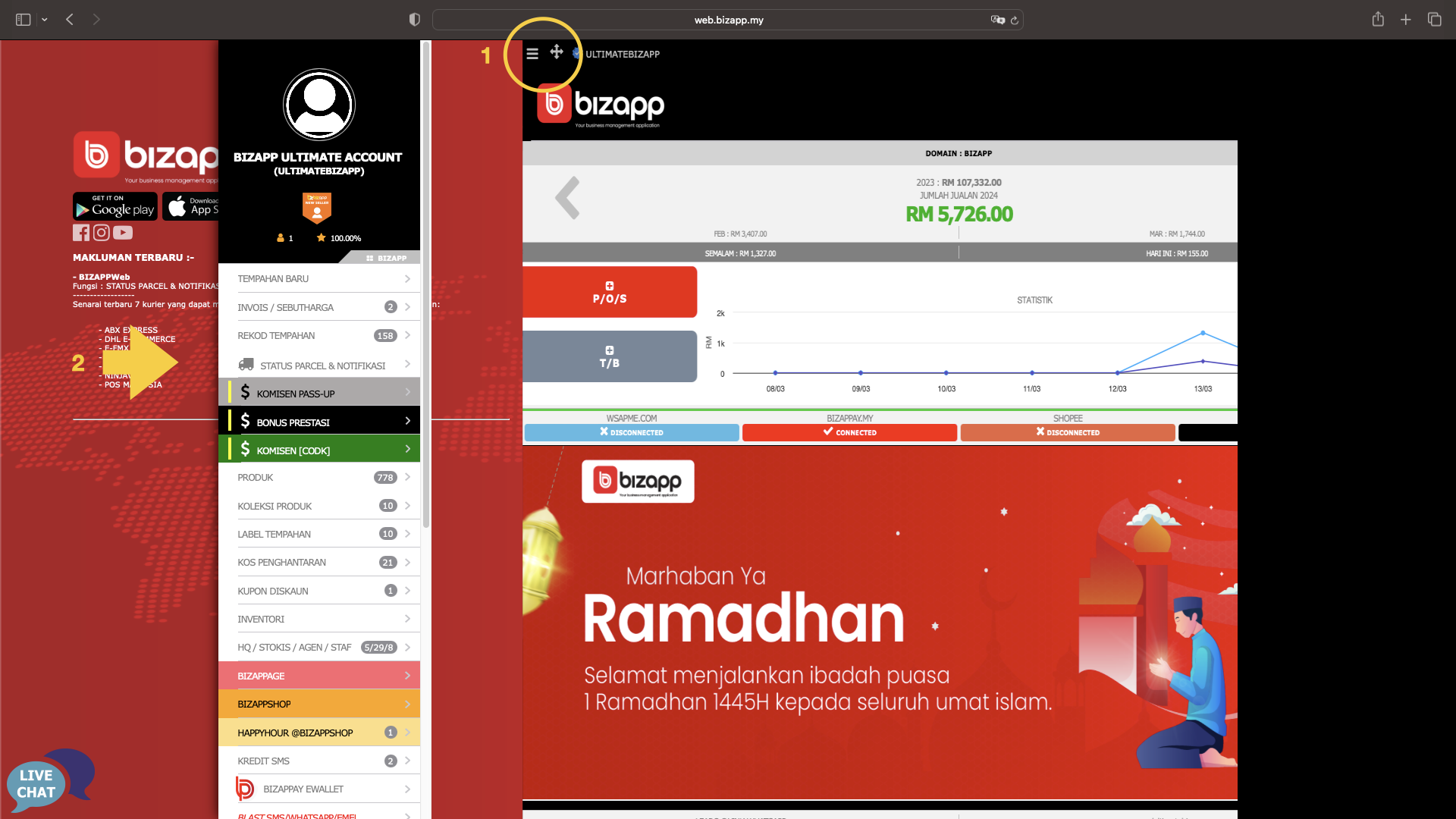
1. Tekan butang Menu
2. Tekan Menu Status Parcel & Notifikasi

<figure><img src="https://741636016-files.gitbook.io/~/files/v0/b/gitbook-x-prod.appspot.com/o/spaces%2FDDhNdk6F3s0N9Gq7wytI%2Fuploads%2FaweBDGKBGMof5YPP9FBQ%2FCODK%20-%20Status.002.png?alt=media&amp;token=d42bf903-6ba7-4481-b072-2f8843c0a112" alt=""><figcaption></figcaption></figure>

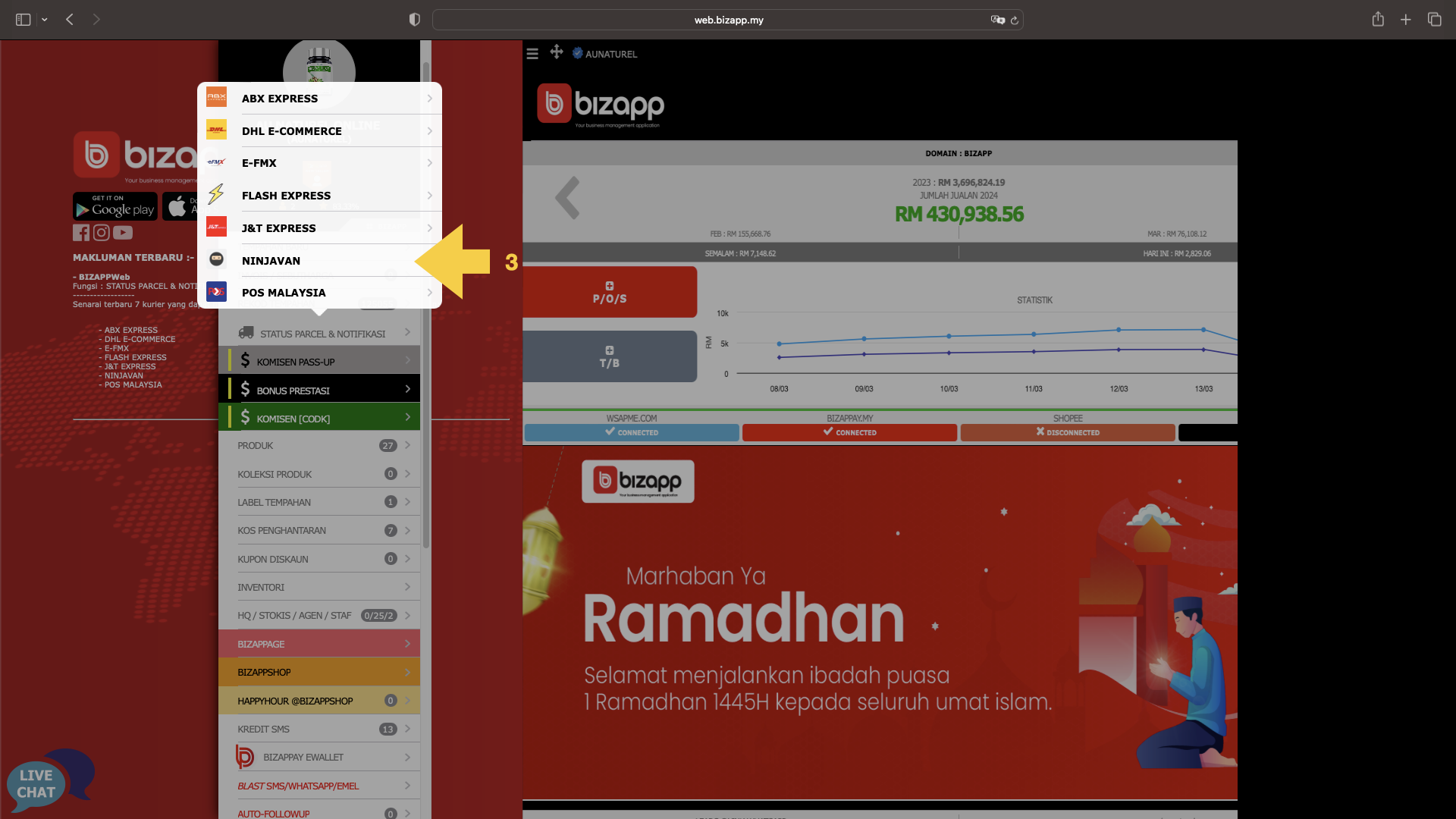
3. Pilih kurier yang anda gunakan bagi penghantaran CODK

<figure><img src="https://741636016-files.gitbook.io/~/files/v0/b/gitbook-x-prod.appspot.com/o/spaces%2FDDhNdk6F3s0N9Gq7wytI%2Fuploads%2FzsQRdbwTuPW1jwIQzjFc%2FCODK%20-%20Berjaya.003.png?alt=media&amp;token=db3c6712-e465-4284-9c8d-e098b4b9c5a5" alt=""><figcaption></figcaption></figure>

4. Tekan butang hijau pada DELIVERED. Anda boleh memilih untuk melihat rekod tempahan atau muat turun laporan.&#x20;
5. Tekan menu Rekod Tempahan

<figure><img src="https://741636016-files.gitbook.io/~/files/v0/b/gitbook-x-prod.appspot.com/o/spaces%2FDDhNdk6F3s0N9Gq7wytI%2Fuploads%2FMlyufQF0uS9DuWHNxfmD%2FCODK%20-%20Berjaya.004.png?alt=media&amp;token=fefcb0a7-d42c-4430-a55f-e357bbcf2d8e" alt=""><figcaption></figcaption></figure>

5. Senarai menunjukkan semua parcel jenis COD-K yang berjaya
6. Bahagian ini akan menunjukkan status terkini penghantaran parcel berkenaan. Hijau menandakan penghantaran tersebut telah berjaya